 BioLIMS
Your lab deserves better
than a sample spreadsheet
Most research groups still track samples, reagents and freezer boxes in Excel. BioLIMS gives you real sample management instead — free, open source, and no purchase order required.
Hosted and free while in beta — or self-host with Docker. Demo: demo@biolims.dev / biolims-demo

Academic labs are stuck between two bad options
Sample management in most research groups is a shared spreadsheet — and the alternative is priced for pharma, not for a departmental budget.
📄 samples_final_v3_USE THIS.xlsx
It works right up until someone asks "where is that sample now?" or "which aliquots came from patient 014?" — and nobody can answer without walking to a freezer and phoning the student who made them, who graduated last year.
🏢 The quote you can't put on a grant
Commercial platforms answer those questions, but they charge per seat, need a purchase order and months of setup, and model your science the way their vendor imagined it. Adding a field can mean a support ticket.
BioLIMS is the third option — real sample tracking, at spreadsheet cost.
Built around how academic labs actually work
Three things that make this different from everything else you'll evaluate.
You define what you track
Cell lines with passage numbers. Mouse colonies with cage IDs. Plasmids with backbone and resistance marker. Build the record type in your browser, pick your fields, done — no schema migration, no developer, no ticket.
Your data, your server
MIT licensed. Run it on a spare machine in the lab, on university IT, or on a cloud account you control. Add every student and postdoc without watching a licence counter — and export everything whenever you want, because it's your data in your own Postgres database.
Running the same afternoon
No sales call, no purchase order, no implementation project. Sign up, name your lab, import the spreadsheet you already keep, and you're tracking real samples before the end of the day.
Everything you need to stop losing samples
📍 Find any sample, down to the well
Model your real storage — site, room, freezer, shelf, rack, box. Place samples in specific positions and open a box to see exactly what's in it and what's free.
No more opening three freezers to find one tube.
- Unlimited nesting depth
- Visual grid for any box size
- Full storage path on every record

🧪 Design your own record types
Add fields of any type — text, number, date, dropdown, multi-select, checkbox — set units, mark them required, and reorder them. Each type gets its own ID series so a sample reads SMP-000142 and a reagent RGT-000007.
- No code and no migration
- Validated on every write, including imports
- Starter types included, change them freely

🏷️ Scan a label, record what you used
Every record carries a QR code — scan it with a plain phone camera and the record opens, no app to install. On the Use stock page, tick everything a protocol consumed and record it in one go.
- Printable label sheets for every aliquot
- Split a batch into vials across several freezers
- Every movement kept as history: used, discarded, moved, returned

✨ Ask your lab questions in plain language
"How much Taq do we have, and where is it?" The built-in AI assistant reads your records through the same permission-checked search as every page — it can't see what you can't, and it can't change anything.
- Bring your own model: Gemini's free tier, Groq, OpenAI, or a self-hosted Ollama
- Your key stays with your lab, used only server-side
- Answers cite record IDs, quantities and freezer locations

🕓 Answer "who changed this?" instantly
Every create, edit, move and delete is written to an append-only log with the person, the timestamp and exactly what changed — viewable per record or across the whole lab.
- Immutable history, never overwritten
- Before-and-after values on every edit
- Per-record timeline on the detail page

Sample lineage
Aliquots and extractions stay linked to what they came from. Open a gDNA prep and see the blood draw it started as — or open the draw and see everything derived from it.
Purchasing built in
Request → approve → order → received. Link a request to a stock record and the arrival tops it up automatically, in the same history as every use.
Bring your spreadsheet
Export your Excel sheet to CSV and import it — BioLIMS matches your columns to your fields, validates as it goes, and tells you exactly which rows need attention. Export any registry back out at any time.
How it stacks up
An honest look at the trade-offs, including where the others still win.
| Spreadsheet | Commercial LIMS | BioLIMS | |
|---|---|---|---|
| Cost per extra user | Free | Per-seat licence | Free |
| Time to get running | Minutes | Weeks to months | An afternoon |
| Add a custom field | Add a column | Often a support ticket | In the browser |
| Where samples live | A text column | Modelled properly | Freezer → box → well |
| Change history | None | Full audit trail | Full audit trail |
| Sample lineage | Manual | Yes | Yes |
| Who hosts your data | You | The vendor | You |
| API access | None | Usually a paid tier | Included |
| Backups | Whoever remembers | Vendor-managed | Nightly, dump verified, kept 30 days |
| Barcodes & scanning | None | Yes | QR on every record, phone camera works |
| Roles & access control | None | Yes | Five roles + project-level visibility |
| Validation & compliance support | None | Mature offering | Not yet — see roadmap |
Everything the interface does, the API does too
Register samples from a notebook, look up storage, or pull a dataset for analysis. Per-lab API keys, an OpenAPI spec, and validation errors reported field by field so scripted imports tell you exactly what to fix.
- REST API over records, types and locations
- Query by display ID — SMP-000142 works directly
- Self-host with Docker in two commands
# Register a sample straight from your analysis script
import requests

requests.post(
    "https://your-lab.example.com/api/v1/entities",
    headers={"Authorization": f"Bearer {BIOLIMS_KEY}"},
    json={
        "type": "sample",
        "name": "PT-014 gDNA",
        "data": {
            "sample_type": "DNA",
            "concentration": 88.4,
        },
    },
)
Where the project is today
The tracking core and the daily bench workflow — barcodes, stock events, purchasing, roles — are live in the demo today. It's young software: expect rough edges, and please report them.
Shipped — live in the demo today
Sample & inventory tracking
Custom record types, storage down to the well, lineage, audit trail, REST API.
Stock as events
Use, split, discard, transfer, return and check-out — recorded as history, not an edited number.
Barcodes, labels & mobile
QR on every record, printable label sheets, phone-camera scanning, installable app.
Purchasing
Request → approve → order → received, topping up the linked stock on arrival.
Search, views & Excel
Lab-wide search including custom fields, sortable columns, shared saved views, .xlsx in and out.
Roles & projects
Five roles enforced server-side, plus project-scoped visibility for collaborators.
AI lab assistant
Ask about samples, stock and activity in plain language — bring your own model, including free tiers.
Planned
Electronic lab notebook
Experiment write-ups linked to the samples they used.
Workflow automation
Multi-step protocols with task assignment and sample state.
Instrument integrations
Turn plate reader, qPCR and sequencer output into structured records.
Operations & security
Encryption, MFA and SSO, stable API versioning and security reporting.
Electronic signatures
Reviewed-and-approved sign-off on records.
Validation & compliance
Pre-validation against GAMP 5, and the controls regulated labs need for 21 CFR Part 11 and EudraLex Annex 11.
A biologist and an engineer
We combine hands-on experience in academic research and laboratory work with expertise in building modern technology solutions.
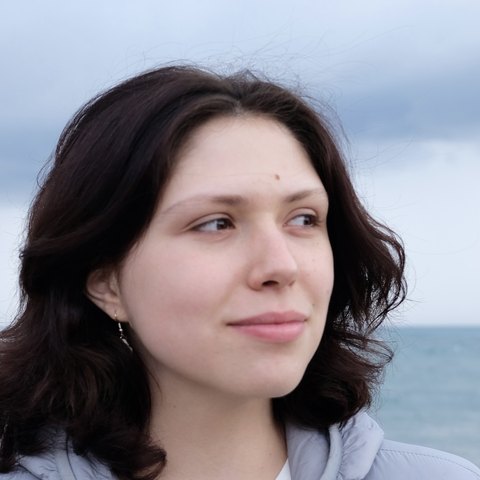
Iaroslava Vinogradova
Biologist & Business Analyst
More than seven years of research across multiple fields of biology, combined with my experience as a Business Analyst in clinical trials, showed me how essential careful sample and data management is. I believe intuitive, transparent tools can simplify scientists' daily work — giving them more time to focus on research and discovery.
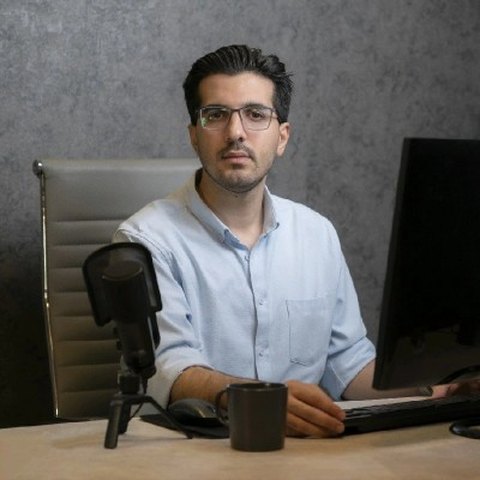
Pouria Jahandideh
Software Engineer & Engineering Lead
Ten years building and leading production systems — fintech, ride-hailing at 40-million-user scale, and e-commerce running in 10,000 stores — and more recently AI engineering. BioLIMS is that same infrastructure discipline pointed at the bench: software a lab can install itself, own outright, and still trust with its records.
Hosted by us, or on your own machine
Same software, same features — pick the deployment that fits your lab.
☁️ BioLIMS Cloud
Sign up and your lab exists in a minute — no server, no IT ticket. Multi-tenant with every query scoped to your lab, nightly verified backups, and free while in beta. The AI assistant works out of the box on the shared model.
🖥️ Self-hosted
Docker Compose on a spare lab machine or university server: two commands and it's yours outright — data that never leaves the building, your own backups, and a local Ollama for the assistant if even the AI must stay in-house.
Talk to us
Questions, feedback, or want help getting your lab set up? Message us directly.
See it with your own samples
Click through the demo in two minutes, or have it running on your own machine in about the same time. If something doesn't match how your lab works, that's worth an issue.
The demo is a shared public sandbox — expect other people's edits, and don't put anything real in it.